CRL Head-to-Head Tracker
Track your win/loss records against your Clash Royale friends. See who comes out on top in your battles! 🏆
See Your Stats Come to Life
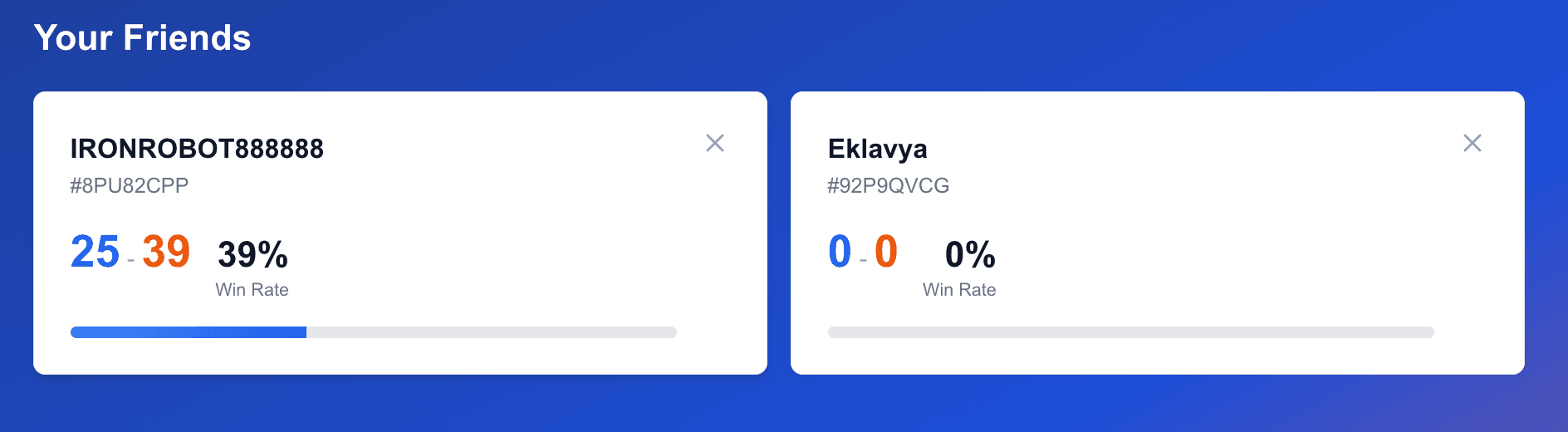
Track Records
Automatically track wins and losses against each friend with detailed statistics
Auto Sync
Battles are automatically synced from the Clash Royale API - no manual entry needed
1v1 Focus
Only tracks head-to-head 1v1 battles, keeping your stats clean and accurate
How to Find Your Player Tag
You'll need your Clash Royale player tag to get started. Here's how to find it:
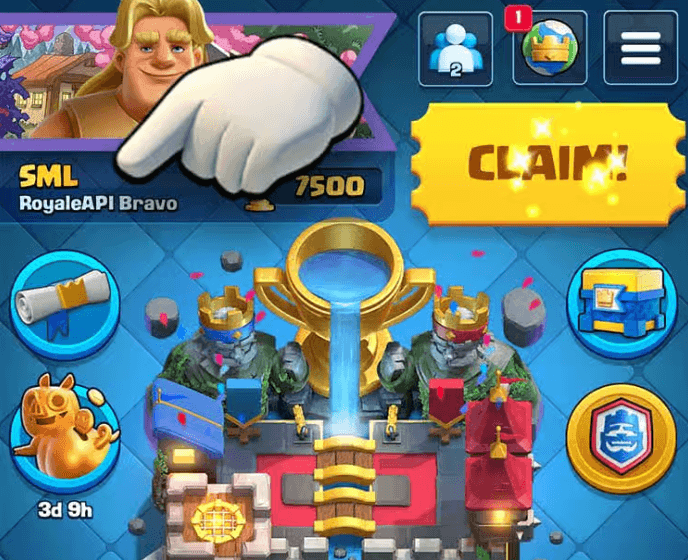
1. Select player name
Tap on your player name at the top of the game screen
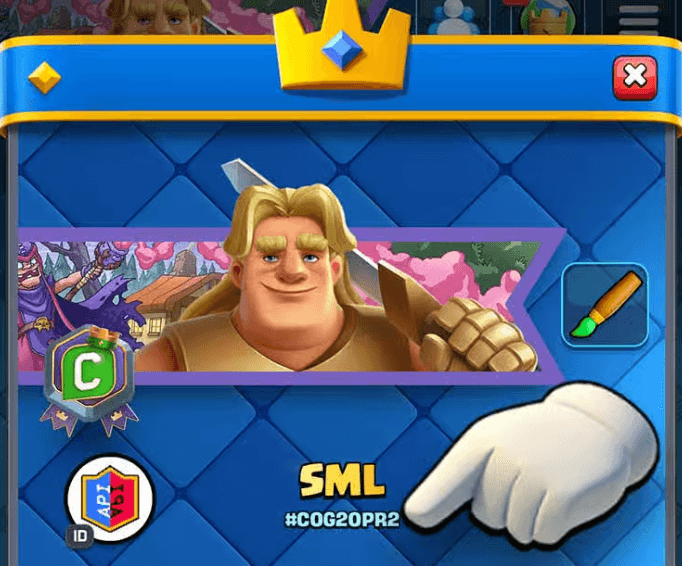
2. Select player tag
Your player tag will be displayed below your name (e.g., #COG20PR2)
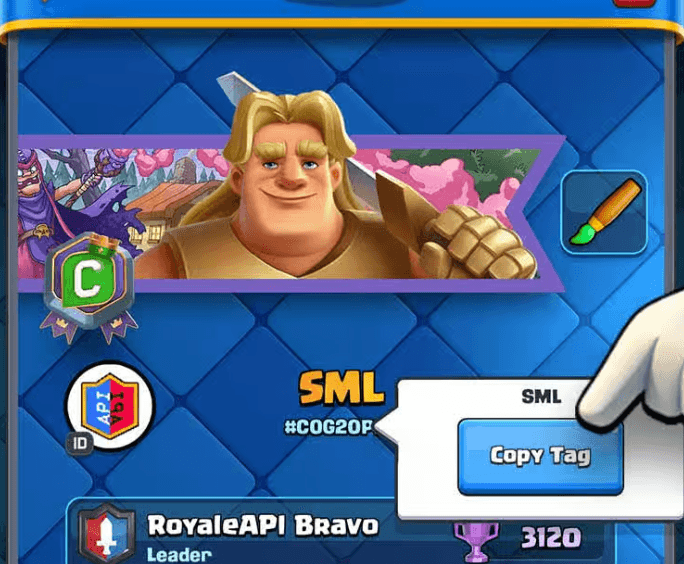
3. Copy Tag
Tap the "Copy Tag" button to copy your player tag to your clipboard
1. Select player name
Tap on your player name at the top of the game screen
Need help? The full tutorial is available on desktop.
Steps 2 & 3: Find your tag below your name and tap "Copy Tag"
Example Player Tag:
#COG20PR2Frequently Asked Questions
How can I track Clash Royale wins against friends?
Tracking your Clash Royale wins against friends is easy with CRL Head to Head Tracker. After signing up with your player tag, simply add your friends' player tags. The app automatically syncs all your 1v1 battles from the Clash Royale API and displays your win/loss record, win percentage, and detailed statistics for each friend.
Is the battle tracking automatic?
Yes! Battles are automatically synced daily from the Clash Royale API. You can also manually sync battles at any time using the "Sync Battles" button on your dashboard.
What battle types are tracked?
Only head-to-head 1v1 battles are tracked to maintain accurate statistics. 2v2 battles, challenges, and other game modes are automatically filtered out.
Is this tracker free to use?
Yes, CRL Head to Head Tracker is completely free to use. Simply sign up with your Clash Royale player tag and start tracking your battles against friends.
Already have an account? Sign in